THE PRACTICAL GUIDE
How to convert a JS file to PDF.
Keep your code in a document you can read, share or print. This guide takes you from a source file to a PDF, with a few useful checks along the way.
1. Choose your source file
Open the JS to PDF converter and tap Upload JS file. On a phone, choose the file from Files, Downloads or a cloud storage provider available in the system picker. On a computer, you can also drop files onto the upload area. If your file is hidden by the picker’s format filter, choose Browse all files.
JavaScript files often end in .js, .mjs or .cjs. React
component source may use .jsx or .tsx. TypeScript modules use .ts. The converter accepts these formats, plus plain-text .txt files.
If your code is in a message or editor, choose Paste code instead.
Select up to 200 source files together to open the batch workspace. Choose Separate PDFs to download each file or a ZIP, or One combined PDF to join them in the listed order. Use the arrows to reorder files. Each source starts on a new page and keeps its own layout and page numbering; the combined document supports up to 1,000 pages and 50 MB. Each source file still has a 512 KB and 200-page limit.
2. Review the kind of PDF you need
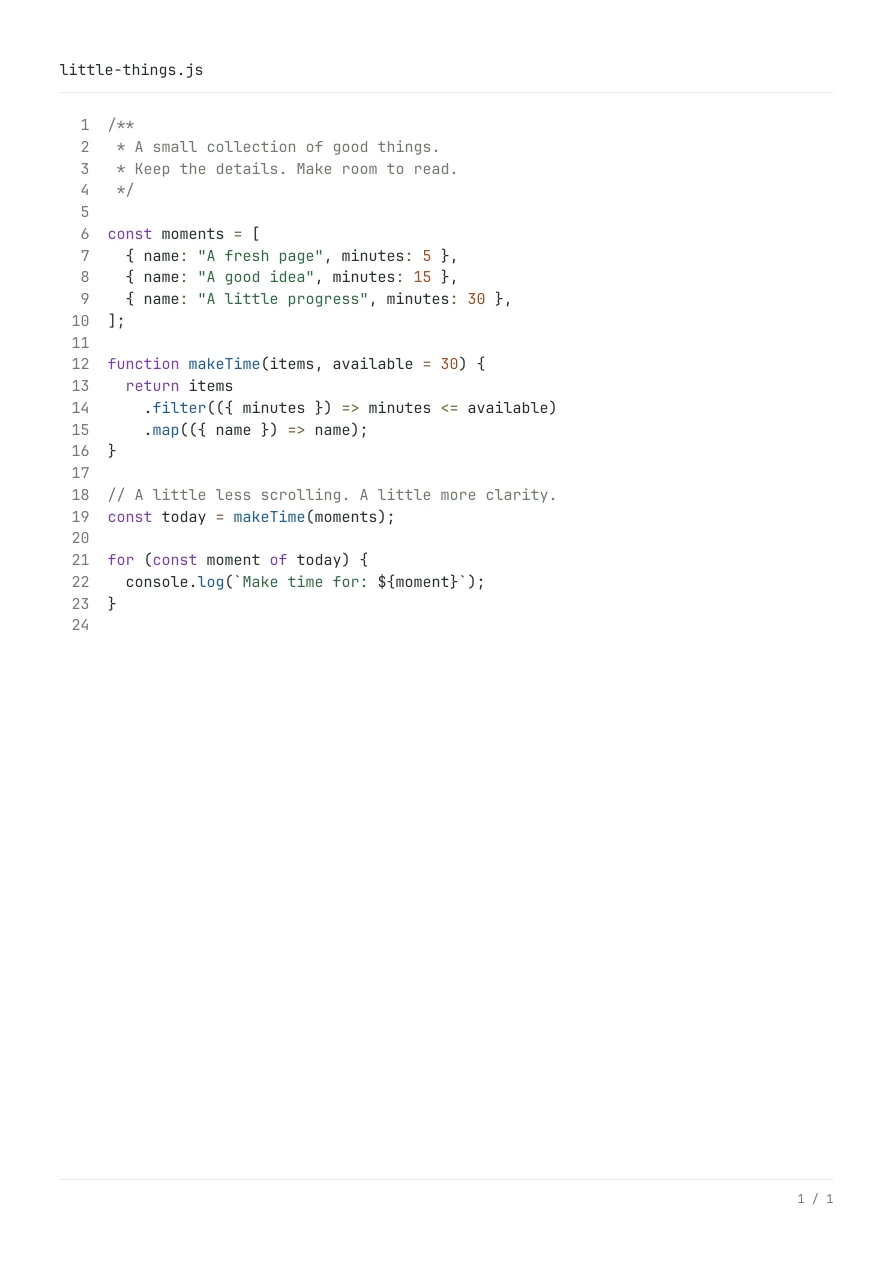
The output is a source-code document: the code itself, with syntax highlighting and page layout.
For example, a function containing console.log appears as a function in the PDF. It is
not executed to capture its console output.
If an AI tool gave you JavaScript that generates a report, or a React component you want to see as a designed page, you need to run that project in its intended environment and export the result there. A source-code converter is useful when you want the implementation as a readable reference.
3. Adjust the page if you want to
Your first PDF is generated automatically using a light theme, A4 portrait paper and 10 pt code. You can download it immediately. Choose Preview PDF to inspect the exact file, or open Customize to adjust its appearance.
- For long lines: try landscape orientation or a smaller font. Lines wrap automatically; a wrapped continuation does not receive a new source line number.
- For printing: choose Black & white, then select A4 or US Letter to match your paper. Leave enough margin for your printer.
- For reading: increase the font size. More pages are usually preferable to code that is too small to read.
- For a clean heading: change the document title, or clear it to remove the title area.
Use Apply & update PDF to apply several changes together. Formatting is separate: More options → Format code changes the code layout using Prettier. You can undo it. Invalid or incomplete JavaScript can still be exported without formatting.
4. Download, open or share
Tap Download PDF once the file is ready. Desktop browsers normally save it to your chosen download location. A mobile browser may download the file or show a document viewer. Use that viewer’s download or Save to Files action when needed. The Open PDF link is an alternative way to hand the file to your browser’s PDF viewer.
If your browser supports file sharing, the converter also offers Save / share. Choose an available destination in the system sheet. Cancelling that sheet leaves the generated PDF ready to download.
5. Print from your PDF reader
Open the saved PDF and use your reader’s Print command or the device’s share menu. Check paper size, orientation, scale and page range before printing. Available printers and print actions depend on your operating system, browser and printer setup.
If a file won’t convert
The current limits are 512 KB, 10,000 source lines, 100,000 characters per line and 200 output pages. Long minified lines may work better after formatting. A conversion stops after 30 seconds rather than leaving the page busy indefinitely.
Save text as UTF-8, or UTF-16 with a byte-order mark. A binary file renamed to .js is
not JavaScript source. For unsupported characters, including some emoji or scripts requiring additional
text shaping, the converter reports the problem. You can explicitly export visible Unicode escapes;
the original file remains unchanged.
The PDF has selectable text, but copying it back is not a byte-for-byte source backup: line numbers, tabs and line wrapping can affect copied text. Keep the original file for editing or execution.
Ready for a fresh page?
Convert your JS file →